Papirofy
How to password protect a PDF
If you send payslips, contracts or documents with personal data, a password keeps them away from the wrong eyes.
Step by step
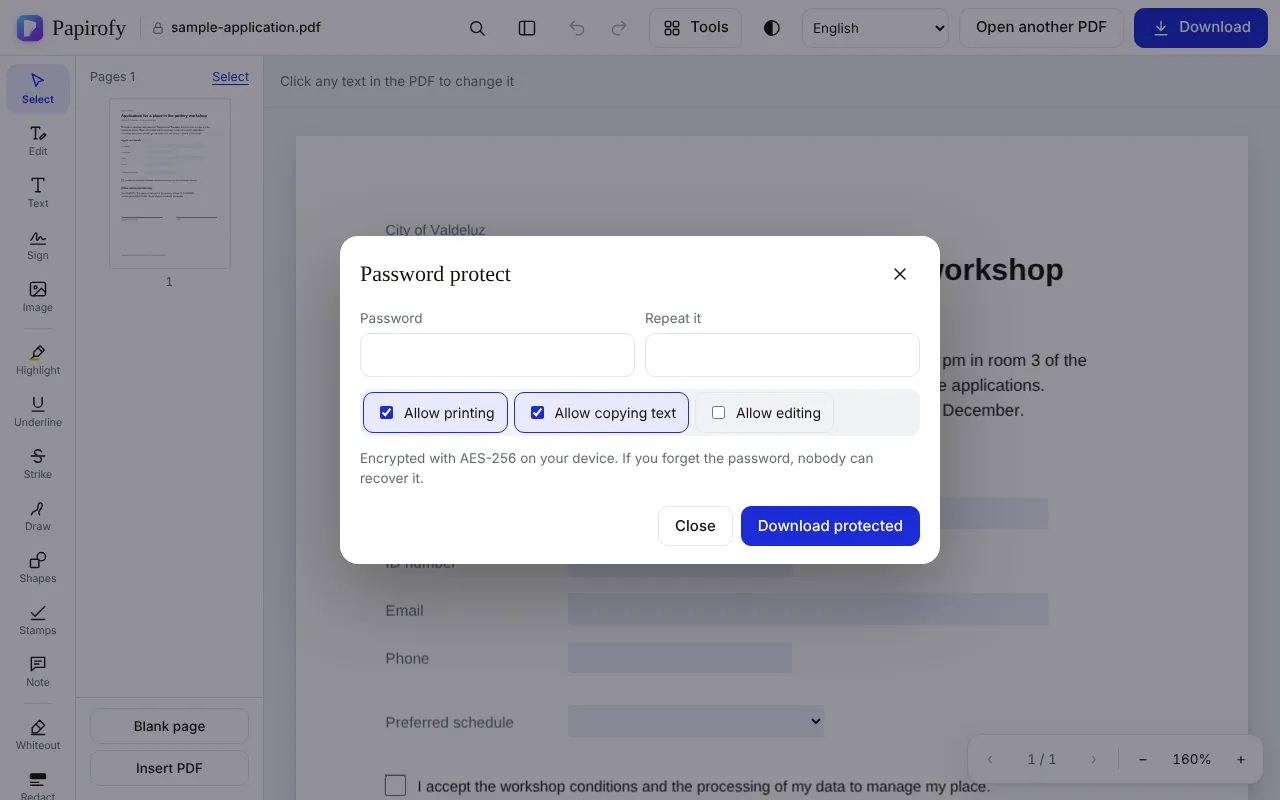
- Open Password protect and choose the document.
- Type the password twice.
- Choose permissions: Allow printing, Allow copying text and Allow changes.
- Press Download protected.
Important
- Encryption is AES-256 and happens on your device.
- If you forget the password, nobody can recover it. Keep it somewhere safe.
- Send the password through a different channel than the file (for example, the PDF by email and the password by text message).