Papirofy
← Back to Papirofy

How to convert JPG to PDF (photos and images)
Papirofy Team · · 2 min read

Photos of a receipt, screenshots of a chat or pictures of a project: as a PDF they are easier to send and print.
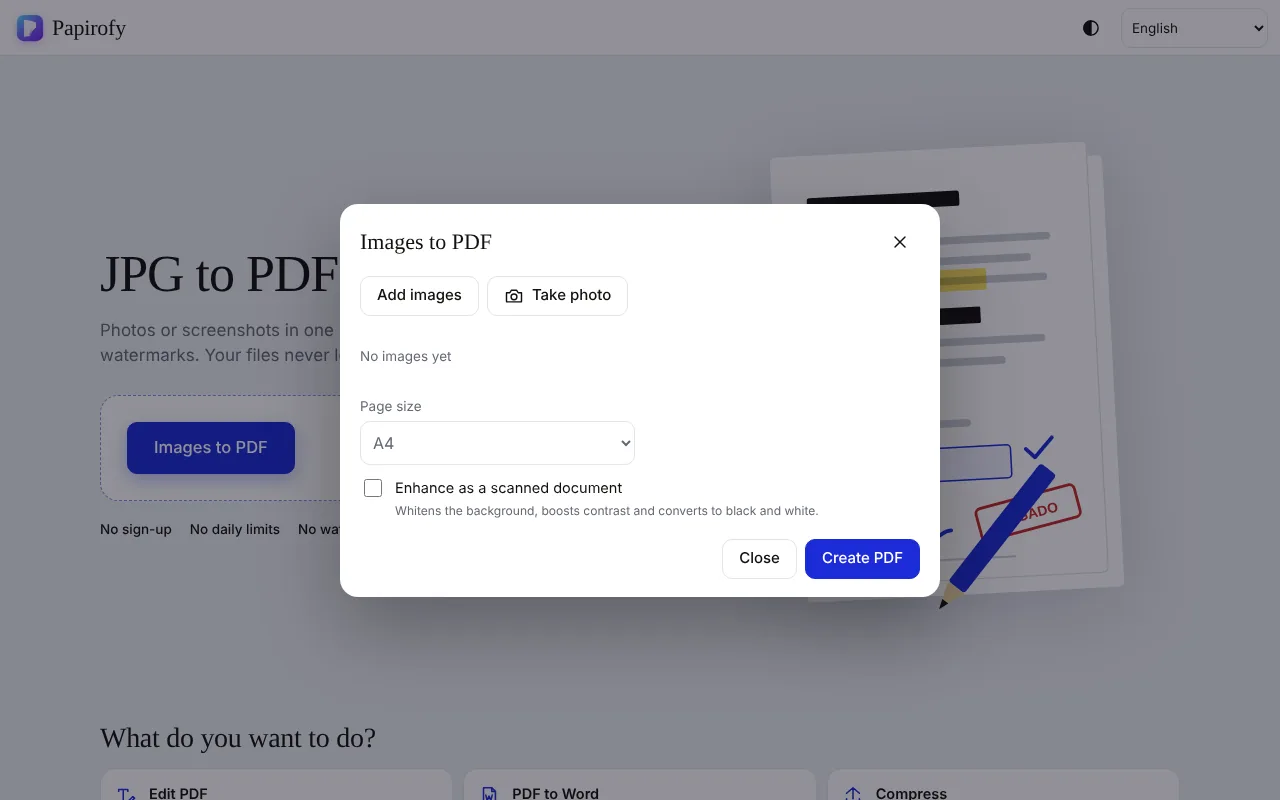
Screenshot of the tool: JPG to PDF converter, free

Step by step

  1. Open Images to PDF.
  2. Press Add images (JPG, PNG, WebP or SVG). On a phone you can also Take photo.
  3. Drag the images into order.
  4. Choose the page size: A4, Letter or same as the image.
  5. If they're photos of paper, tick Enhance as a scanned document.
  6. Press Create PDF and download it, or keep editing.
Keep reading

How to edit a PDF for free (nothing to install)Change the text in a PDF, type on top and add images from your browser, free and without uploading the file anywhere.
How to convert a PDF to JPG or PNGTurn PDF pages into JPG or PNG images at the resolution you need, for free.
How to extract text from a PDFCopy all the text in a PDF to a .txt file, page by page, free and without uploading the document.