Papirofy
How to make a professional quote for free

A good quote builds trust and avoids misunderstandings with your client. You can make one with the invoice tool.
Step by step
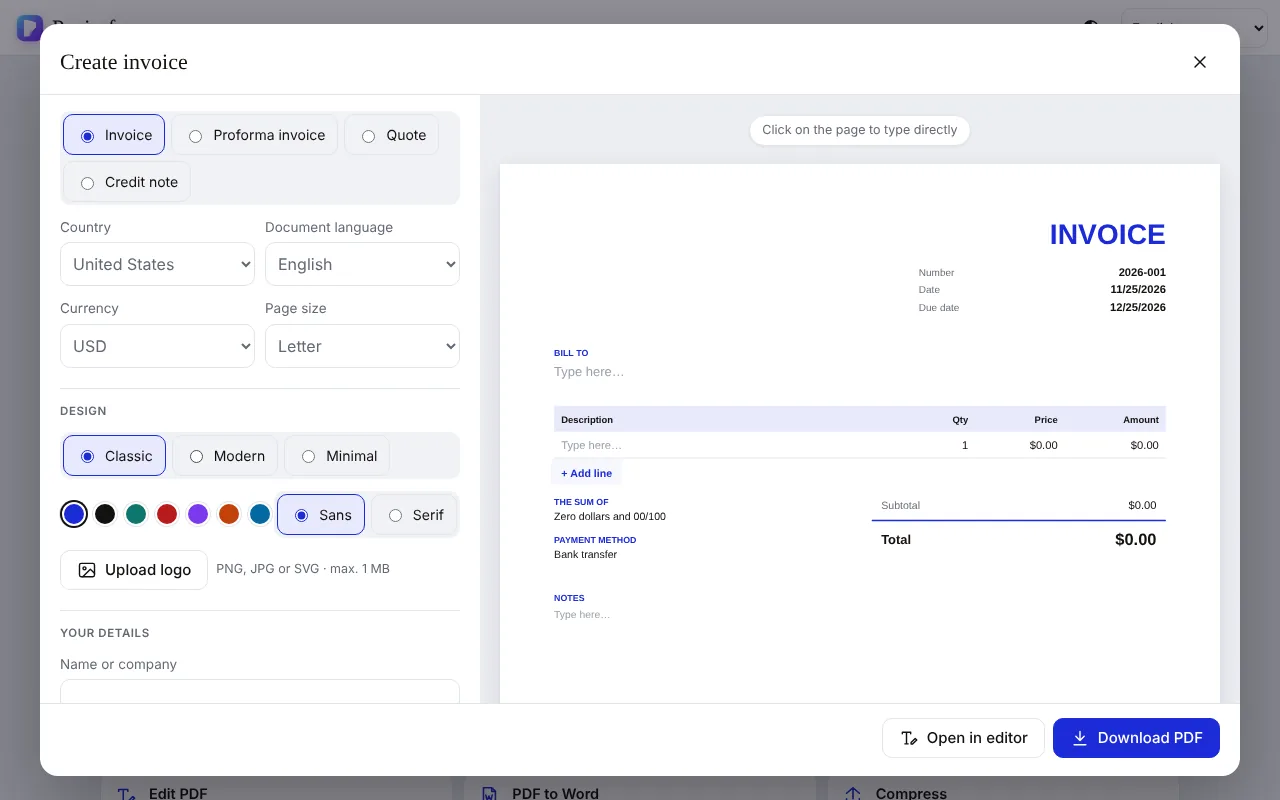
- Open Create invoice and choose the Quote type.
- Upload your logo and choose country, template and color.
- Add your client's details and type the items right on the page.
- Set Valid until so the offer has an expiry date.
- Add notes with payment terms or deadlines.
- Download the PDF.
Tips
- Describe each item clearly: your client should understand what's included.
- When the quote is accepted, create the invoice with the same details: your clients are saved.