Papirofy
How to make a payment receipt for free
A receipt records that someone has paid you (or still has to). It is handy for rent, tutoring, deposits or small jobs.
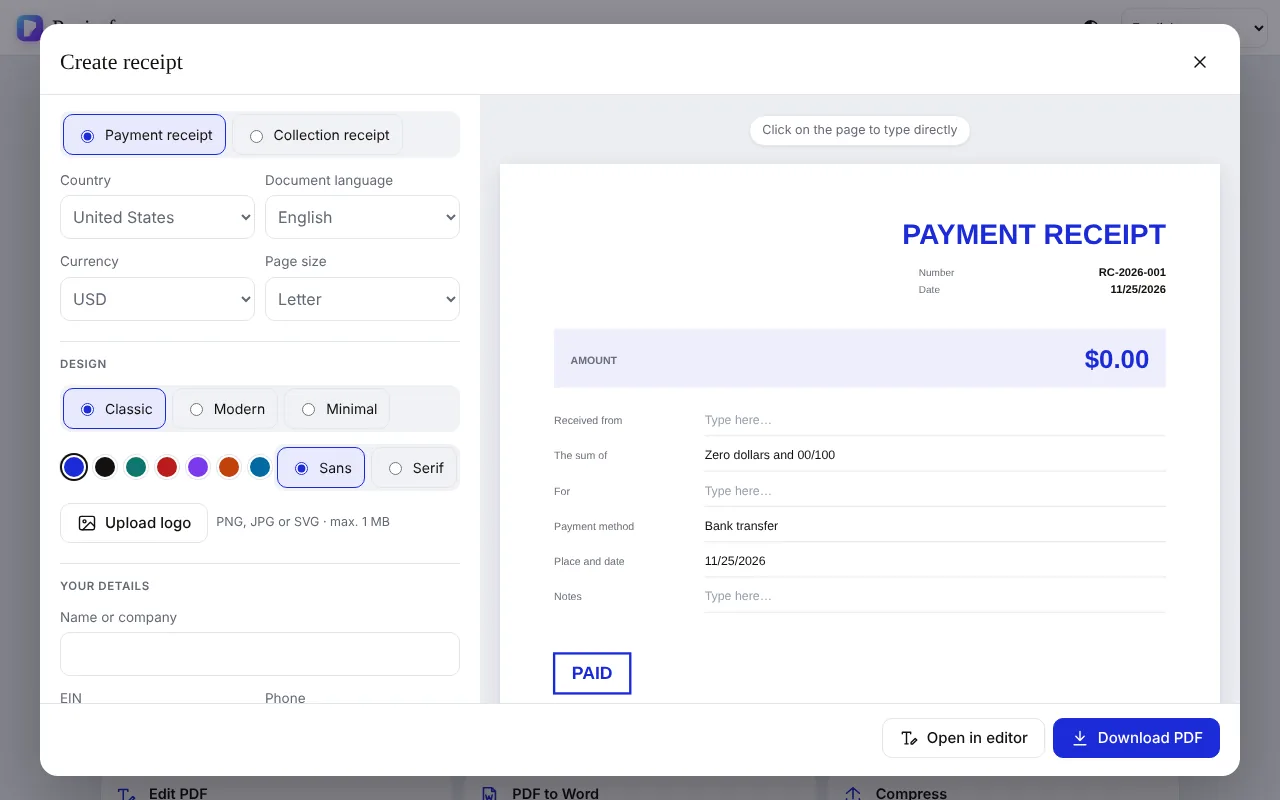
Step by step
- Open Create receipt and choose the type: Payment receipt (you've been paid) or Collection receipt (you're asking for payment).
- Click on the page and type the amount. The amount in words fills in by itself in English, Spanish, Portuguese and French.
- Type who you received the money from and what for (for example, "November rent").
- Choose the payment method, place and date. If you want, break down the tax included.
- On a payment receipt you can add the Paid stamp.
- Press Download PDF, or Open in editor to sign it before sending.
Receipt or invoice?
A receipt proves a payment; an invoice documents a sale with its taxes and has legal requirements. If you sell as a business or freelancer you usually need an invoice. We explain it in "Invoice vs receipt".