Papirofy
How to fill out a PDF form online
Applications, enrollment forms, rental agreements… Many forms arrive as PDF. Filling them by hand and printing is slow; in the browser it takes minutes.
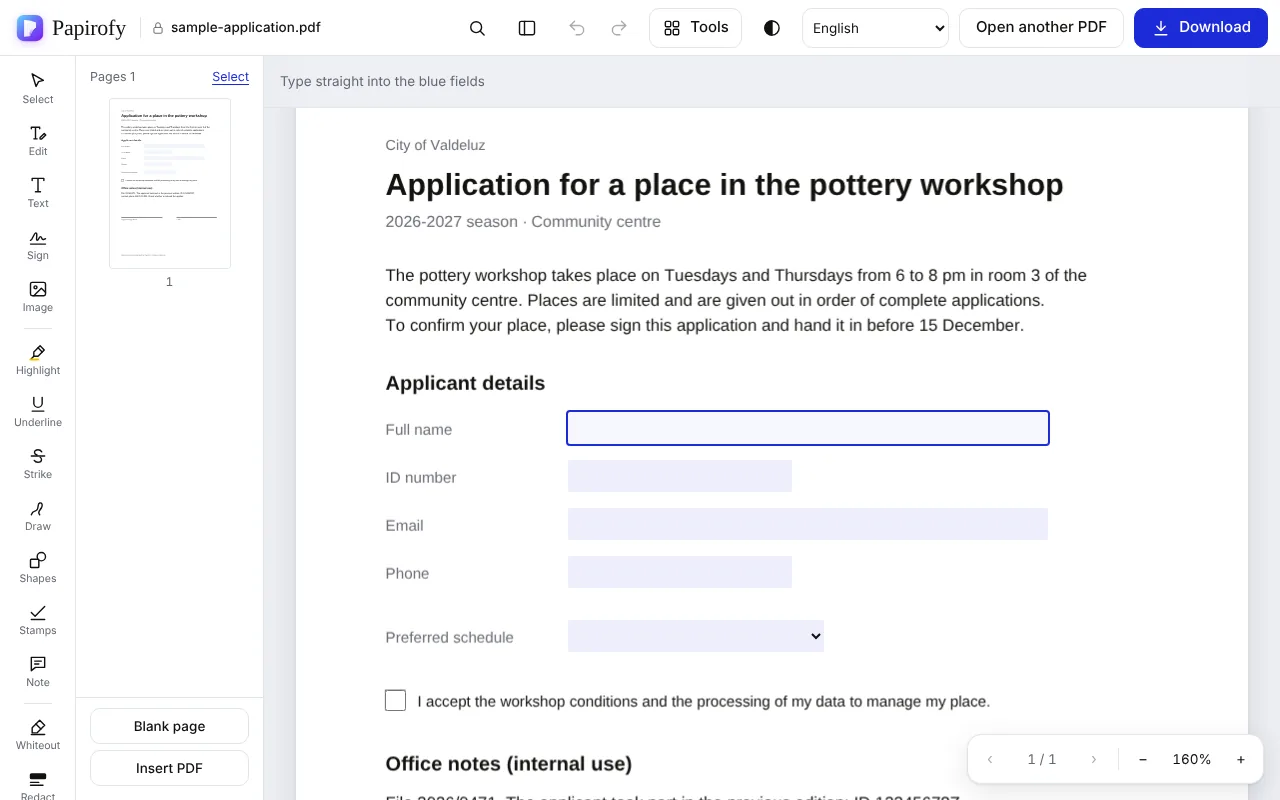
Step by step
- Open Fill in form and choose the PDF.
- If the form has fields, they are highlighted in blue: type into them and tick the boxes.
- If it has no fields (for example, a scanned form), use Text to write on the lines and Stamps to add ✓ or ✗.
- Add your signature with Sign if needed.
- Press Download. If you don't want it changed later, tick Flatten forms.
Tip
Zoom in to place text precisely and check the result before sending it.