Papirofy
How to compress a PDF without losing quality
PDFs with photos or scans can weigh tens of megabytes, and many web forms and email services have size limits.
Step by step
- Open Compress and choose the file.
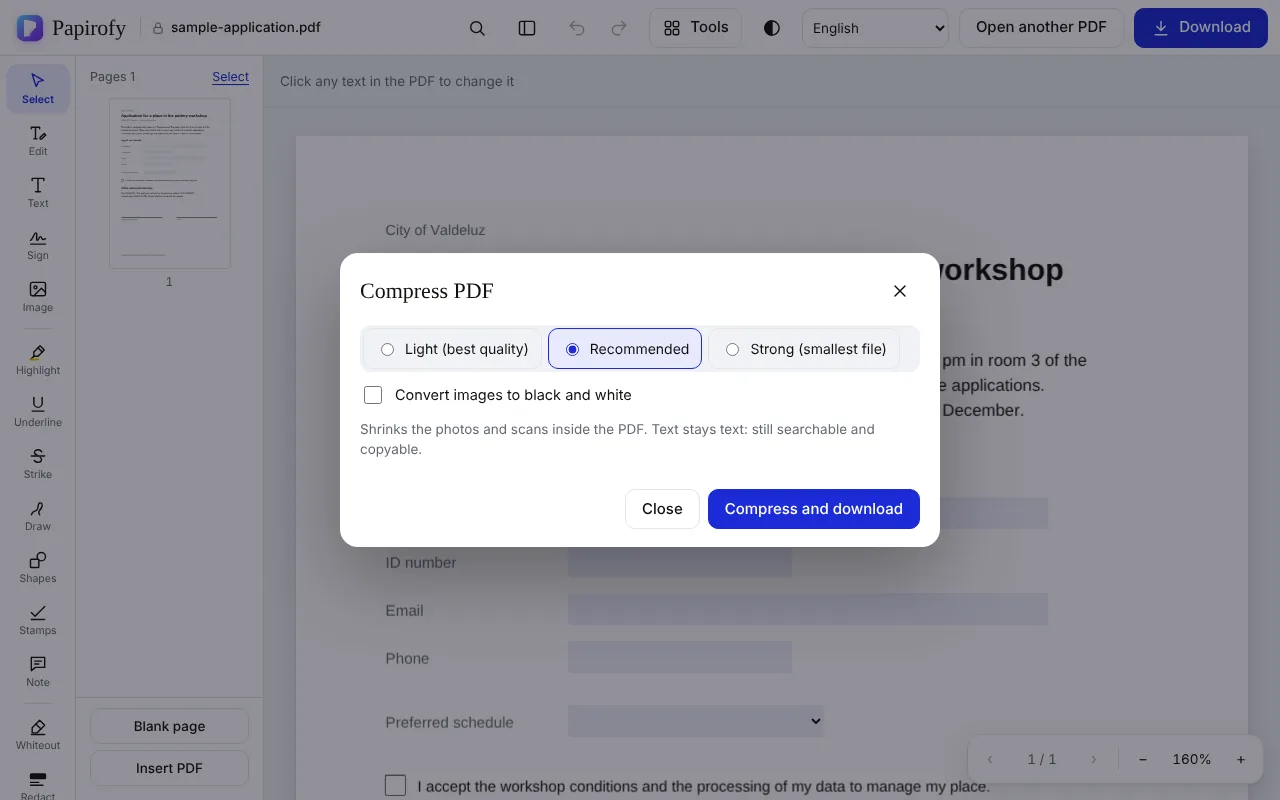
- Pick the level: Light (best quality), Recommended or Strong (smallest file).
- If you don't need color, tick Convert images to black and white to shrink it further.
- Compress and download. You'll see the size before and after.
Why text doesn't lose quality
Papirofy reduces the images in the document, but text stays text: searchable, copyable and sharp. If a PDF has almost no images, it's already optimized and can barely shrink.