Papirofy
How to sign a PDF online on your phone or computer

Printing, signing and scanning a document is no longer necessary. You can sign a PDF in the browser on your phone, tablet or computer.
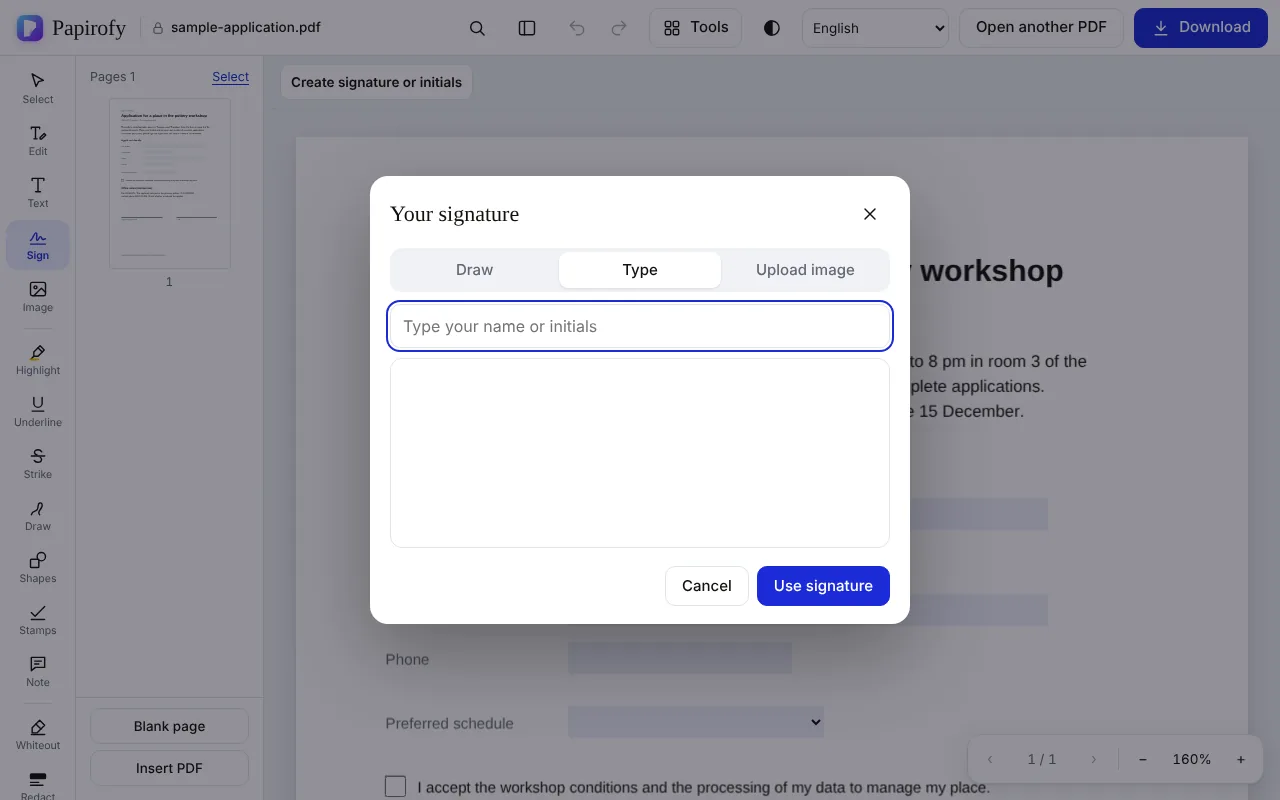
Step by step
- Open Sign PDF and choose your document.
- Create your signature: Draw it with your finger or mouse, Type your name in a handwritten style, or Upload image of your signature (the white background is removed automatically).
- Press Use signature and tap where you want it on the page. Adjust size and position.
- More places to sign? Tap the signature and use Duplicate.
- Press Download.
Good to know
- You can save signatures to reuse; they stay only on your device.
- This is an image of your handwritten signature. It works for many everyday tasks but it isn't a certified electronic signature; some official procedures require a digital certificate.