Papirofy
← Back to Papirofy

How to add a watermark to a PDF

Papirofy Team · · 2 min read

A watermark makes it clear that a document is a draft, a copy or confidential, and discourages misuse.
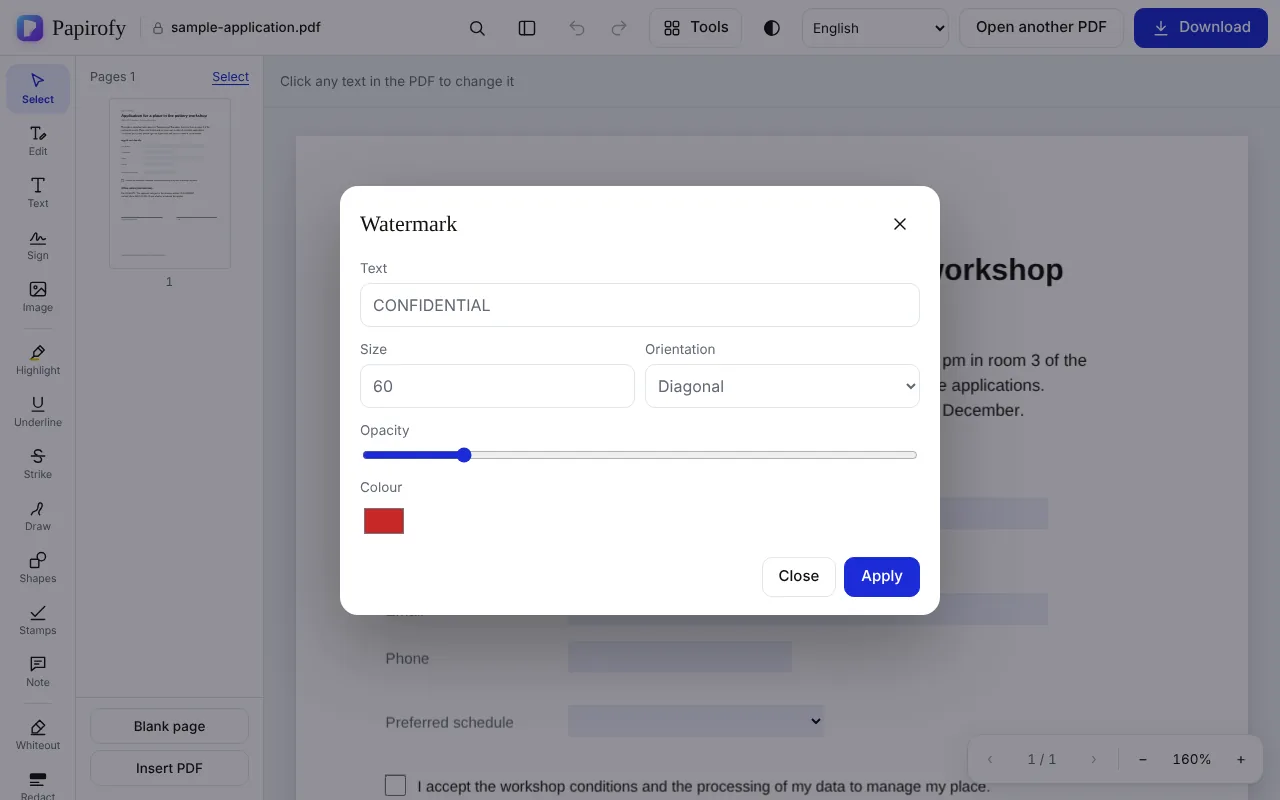
Screenshot of the tool: Add a watermark to PDF

Step by step

  1. Open Watermark and choose the PDF.
  2. Type the text, for example CONFIDENTIAL.
  3. Choose orientation (diagonal or horizontal), size, color and opacity.
  4. Apply and download.

Keep reading

How to edit a PDF for free (nothing to install)Change the text in a PDF, type on top and add images from your browser, free and without uploading the file anywhere.
How to redact personal data in a PDFSearch for a name, ID number or amount and black it out across the whole document; on download the content is truly removed.
What to include on an invoice: required detailsThe details an invoice can't be missing and how they change by country, with a free template to make one.