Papirofy
How to redact personal data in a PDF
Before sharing a document you may need to hide an ID number, a bank account or someone's name. Covering it with a black box isn't enough if the text is still underneath.
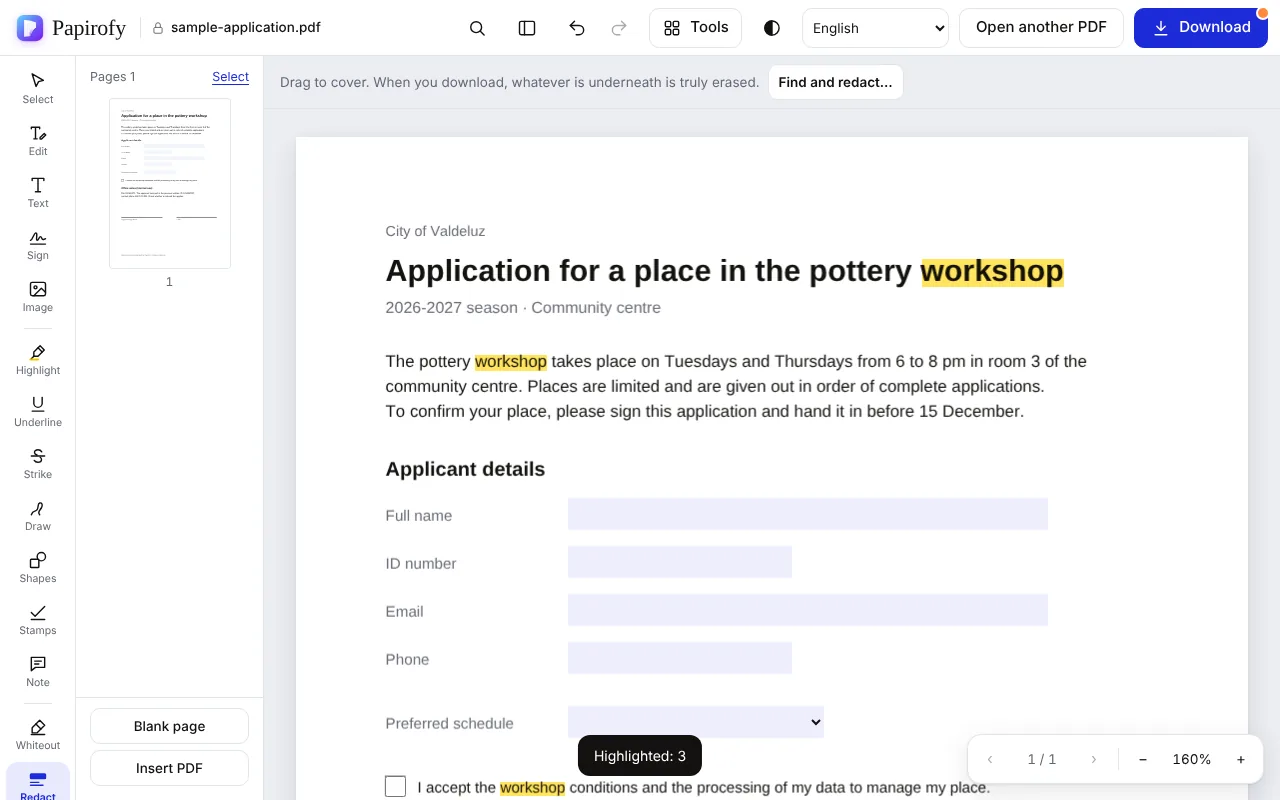
Step by step
- Open Find and redact and choose the PDF.
- Type what you want to hide (a name, a number…).
- Press Redact all to black out every occurrence, or use the Redact tool to drag over specific areas.
- Download the PDF.
Why it's safe
On download, pages with redacted areas are saved as images, so the hidden text is truly gone and can't be copied or recovered.